How to Create an NMI API Key, Step by Step
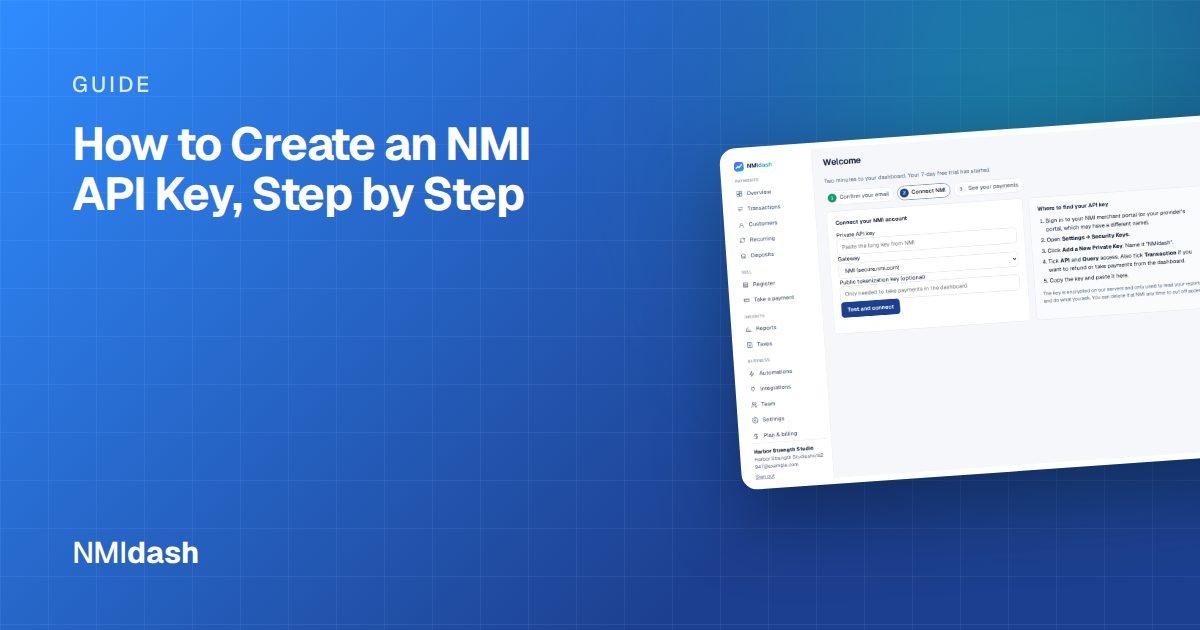
To create an NMI API key, sign in to your NMI merchant portal, go to Settings → Security Keys, choose Add a new private key, give it a name, tick the permissions the software needs (such as API and Query), and save. The portal then shows the key, which you copy into the software you want to connect.
An API key, also called a security key, lets another program talk to your gateway on your behalf. That might be your website checkout, a shopping cart plugin, accounting software or a reporting dashboard. Because a private key can act on your account, treat it like a password.
What an NMI API key is
NMI gateways use security keys instead of your username and password for software connections. Each key has its own set of permissions, so you can give a reporting tool read access without letting it charge cards, or give your checkout permission to run sales without giving it access to your reports.
There are generally two kinds of keys:
- Private keys are used by server-side software. They can process transactions and pull data, depending on the permissions you tick. They must be kept secret.
- Public or tokenization keys are used in a web page to collect card details securely in the browser. They are designed to be visible in page code and cannot be used to pull your transaction data.
This guide covers private keys, which are what most integrations ask for.
How to create an NMI API key, step by step
- Sign in to your portal. Use the login link from your NMI or reseller welcome email. If your portal is reseller-branded, the layout may look slightly different, but the steps are usually the same.
- Open Settings → Security Keys. This page lists any keys that already exist on your account.
- Click Add a new private key.
- Name the key. Use the name of the software it is for, such as "Website checkout" or "Reporting dashboard," so you know which key to delete later.
- Tick the permissions. Choose only what that software needs. See the table below.
- Save and copy the key. Paste it directly into the other software's settings. Do not email it or save it in a shared document.
If you do not see Security Keys under Settings, your user may not have permission to manage keys. Ask the account owner or your reseller to create the key or give you access.
Which permissions to tick
Permission names can vary a little between portals, but these are the ones most integrations ask about.
| Permission | What it allows | Who typically needs it |
|---|---|---|
| API | Use the key with the gateway's programming interface | Almost every integration |
| Query | Read transactions, customers, subscriptions and settlement data | Reporting tools and dashboards |
| Transaction | Run sales, refunds, voids and other payment actions | Checkouts, terminals and any tool that issues refunds |
The safest approach is least privilege. A tool that only reports on your sales does not need the Transaction permission. A checkout page needs to run sales but may not need to query your full history. If you are unsure, check the software's setup instructions, which should list the exact permissions required.
Connecting a dashboard with your key
A common reason to create a key is to connect a dashboard that makes your gateway data easier to read. NMIdash is a hosted dashboard for merchants on the NMI gateway, including reseller-branded gateways. Setup is the process above: create a private key with API and Query ticked, and also tick Transaction if you want to issue refunds or take payments from the dashboard. You paste the key into NMIdash during sign-up, and the key is encrypted on NMIdash's servers.
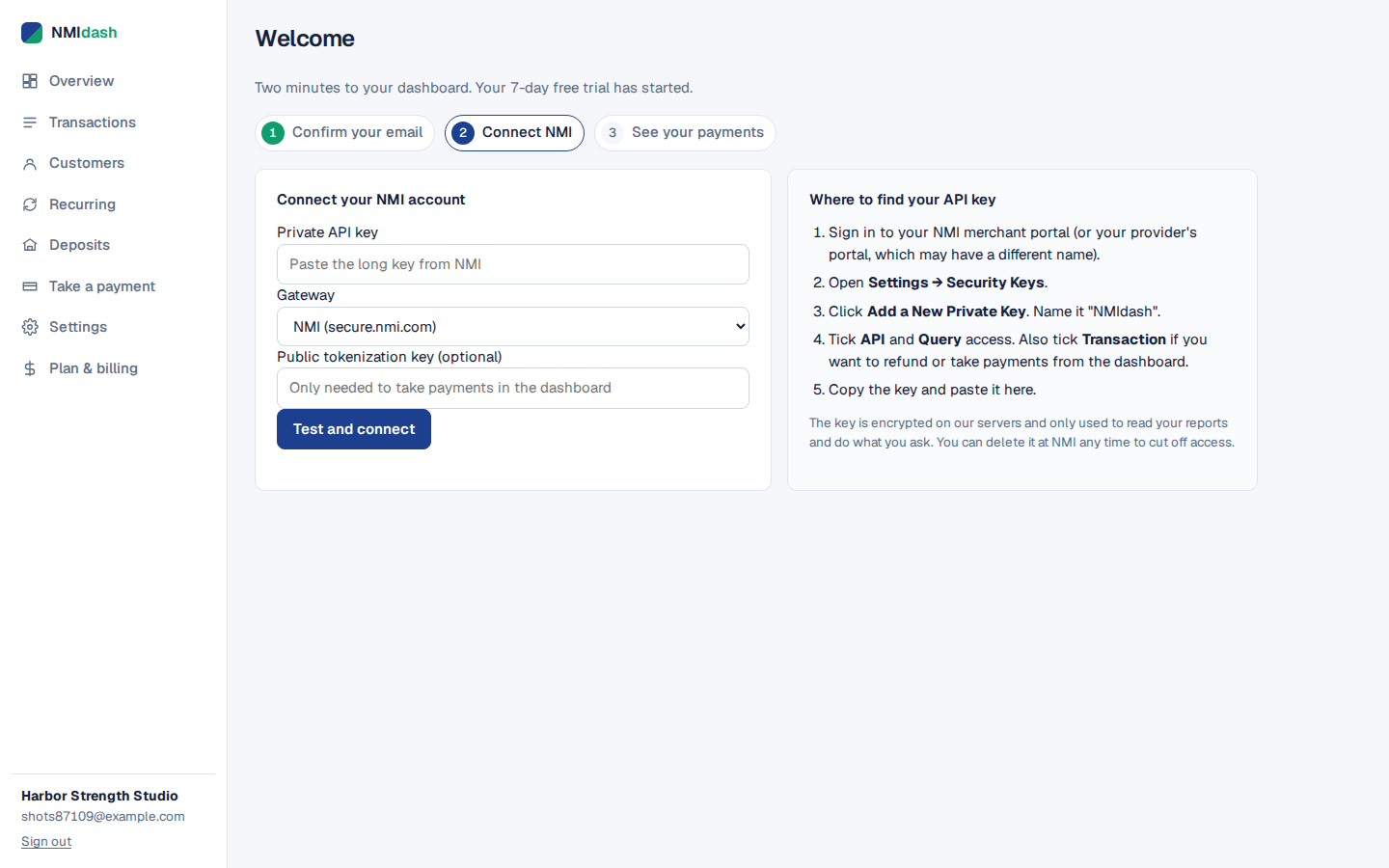
Read-only keys work too, and refunds can be switched off, so you can start with reporting only and add more access later. NMIdash is independent software that works with NMI gateways; it is not made or endorsed by NMI.
Keeping your API keys secure
A private key with Transaction permission can move money on your account, so good key hygiene matters.
- Create one key per integration. If one tool is replaced or compromised, you delete only that key and everything else keeps working.
- Never share a key in email, chat or support tickets. If a vendor asks for your key, enter it directly in their software instead.
- Do not put private keys in website code. Anything in a web page or browser script can be read by visitors. Private keys belong on servers only.
- Delete keys you no longer use. Review the Security Keys page every few months and remove anything you do not recognize.
- Replace a key if it may have leaked. Create a new key, update the software that uses it, then delete the old one.
Troubleshooting common key problems
"Authentication failed" or "invalid security key"
The key was likely copied with a missing character or an extra space, or it was deleted in the portal. Copy it again carefully, or create a fresh key.
The software connects but shows no data
The key probably lacks the Query permission. Edit the key, or create a new one with Query ticked.
Refunds or charges fail from the software
The key probably lacks the Transaction permission. Add it if you want the software to perform those actions.
The key works on one account but not another
Keys belong to one gateway account. If you run several locations or merchant accounts, each one needs its own key.
You cannot find the Security Keys page
Reseller-branded portals sometimes place security settings under a slightly different label, and some resellers restrict who can create keys. If the menu is not where you expect it, check that you are signed in as the account owner or an administrator, then ask your reseller where keys are managed on their version of the portal.
Getting your NMI API key right the first time
Creating an NMI API key takes a couple of minutes: Settings → Security Keys → Add a new private key, name it, tick only the permissions you need and paste it straight into the software. Keep one key per integration, never send keys by email, and clean out unused keys regularly.
Once you have a key, you can start a 7-day free trial of NMIdash and see your NMI transactions, deposits and reports in one place.
Frequently asked questions
Is an NMI API key the same as a security key?
Yes. NMI portals usually call them security keys, and software that connects to the gateway often calls them API keys.
Can I see an existing key again later?
This depends on your portal. If you cannot find a key's value, the simplest fix is to create a new key, update your software and delete the old one.
Can a read-only key move money?
A key without the Transaction permission cannot run sales or refunds. It can only read the data its permissions allow.